Hi, I'm Brooke, and I'm a…
AI-Native Lead Product Designer
Currently at Subject.ai, where we're making high quality online education available to every student, regardless of their zip code.
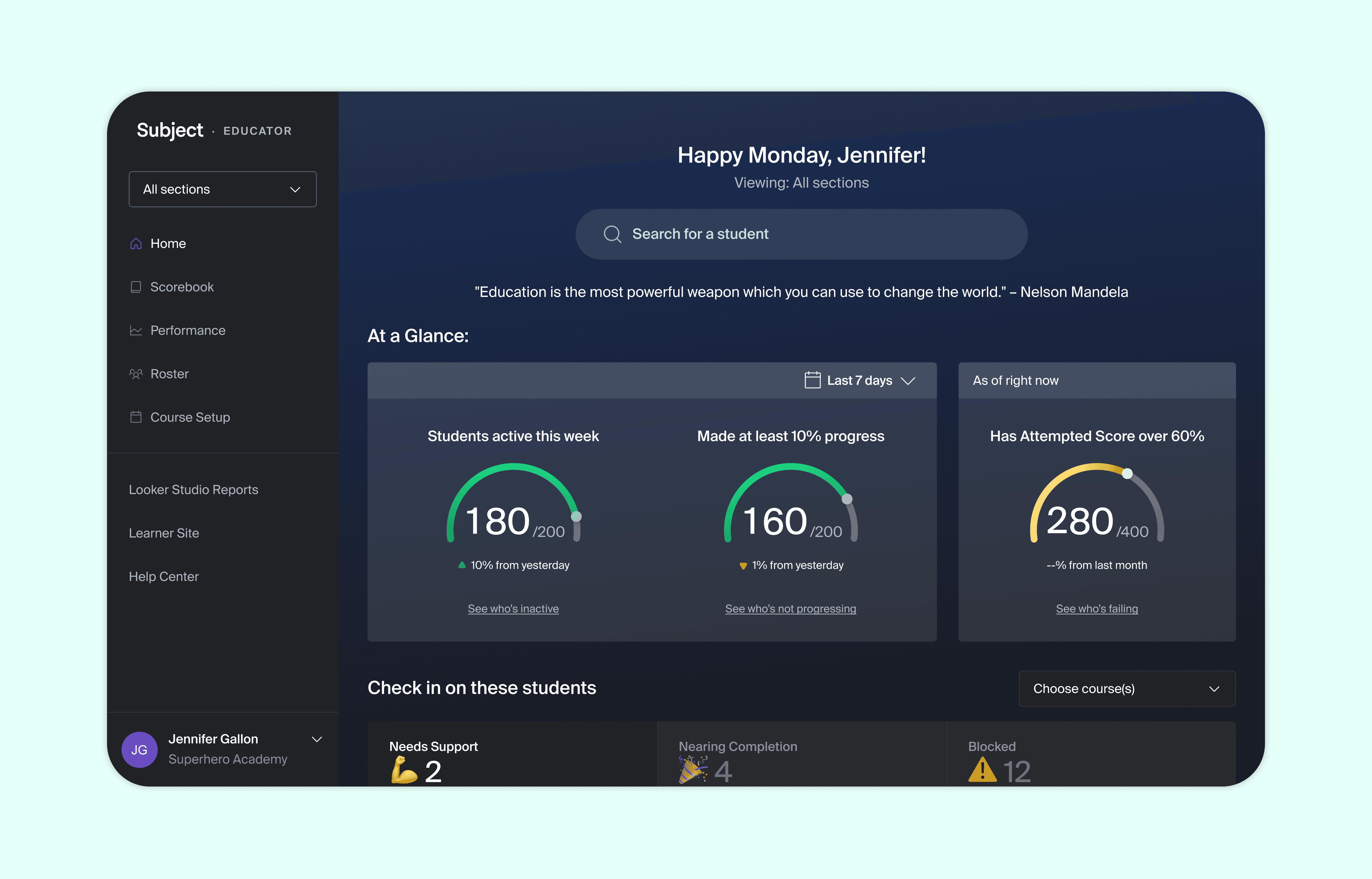
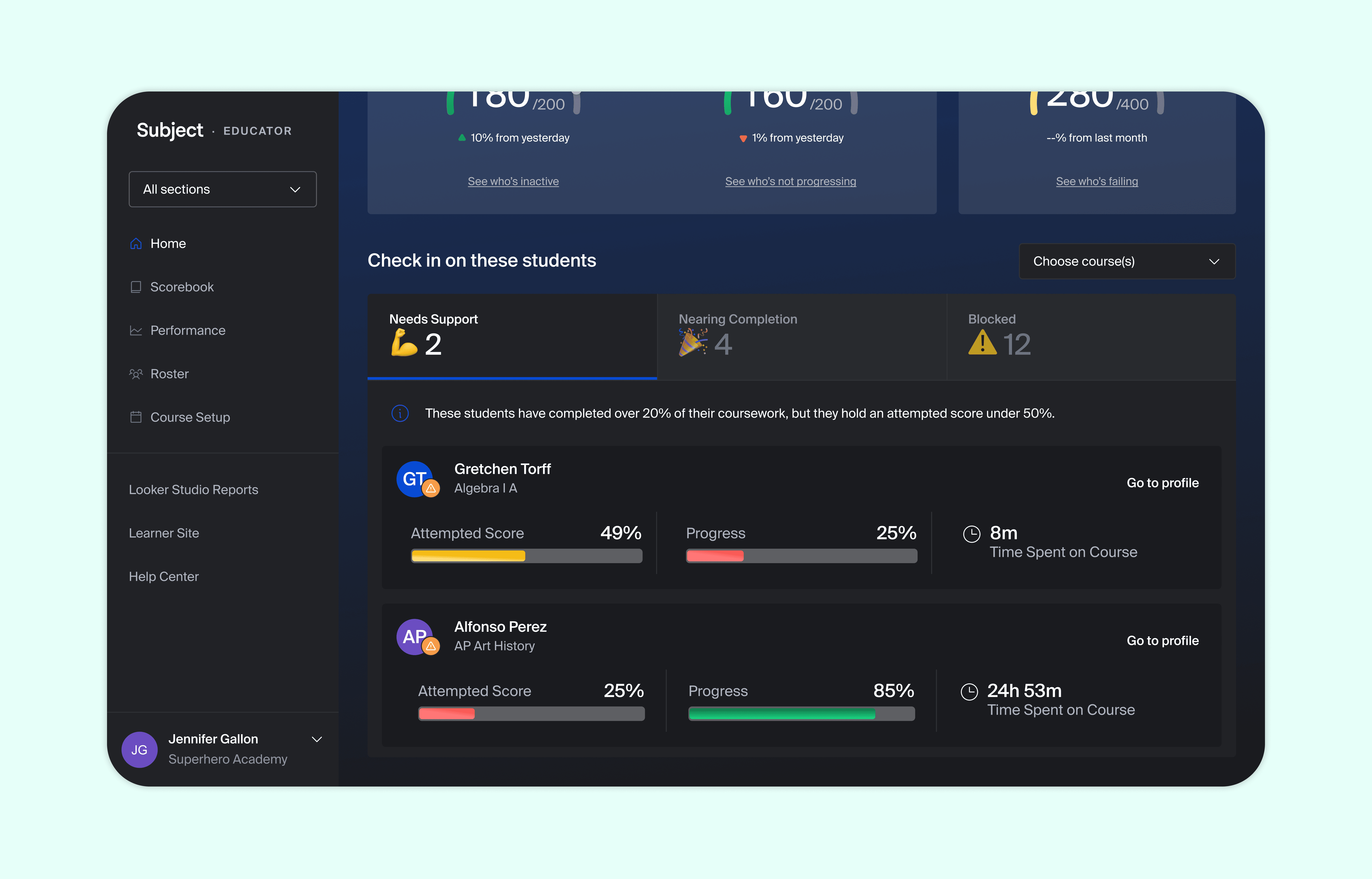
Saving Teacher Time and Improving Student Outcomes with No Click Insights @ Subject
A 0 → 1 educator portal home page redesign that decreased time to value 100% with smart search and metrics.
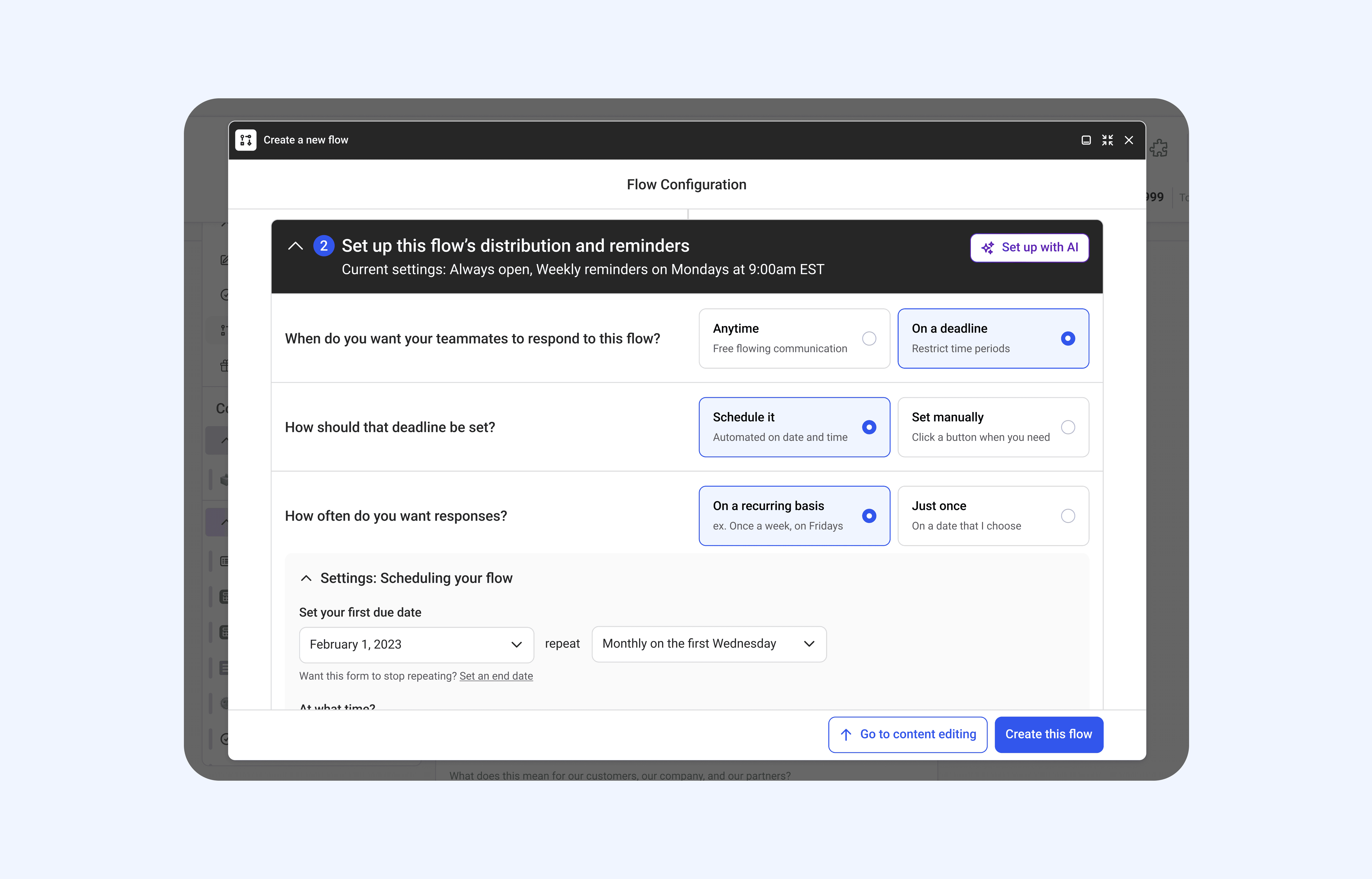
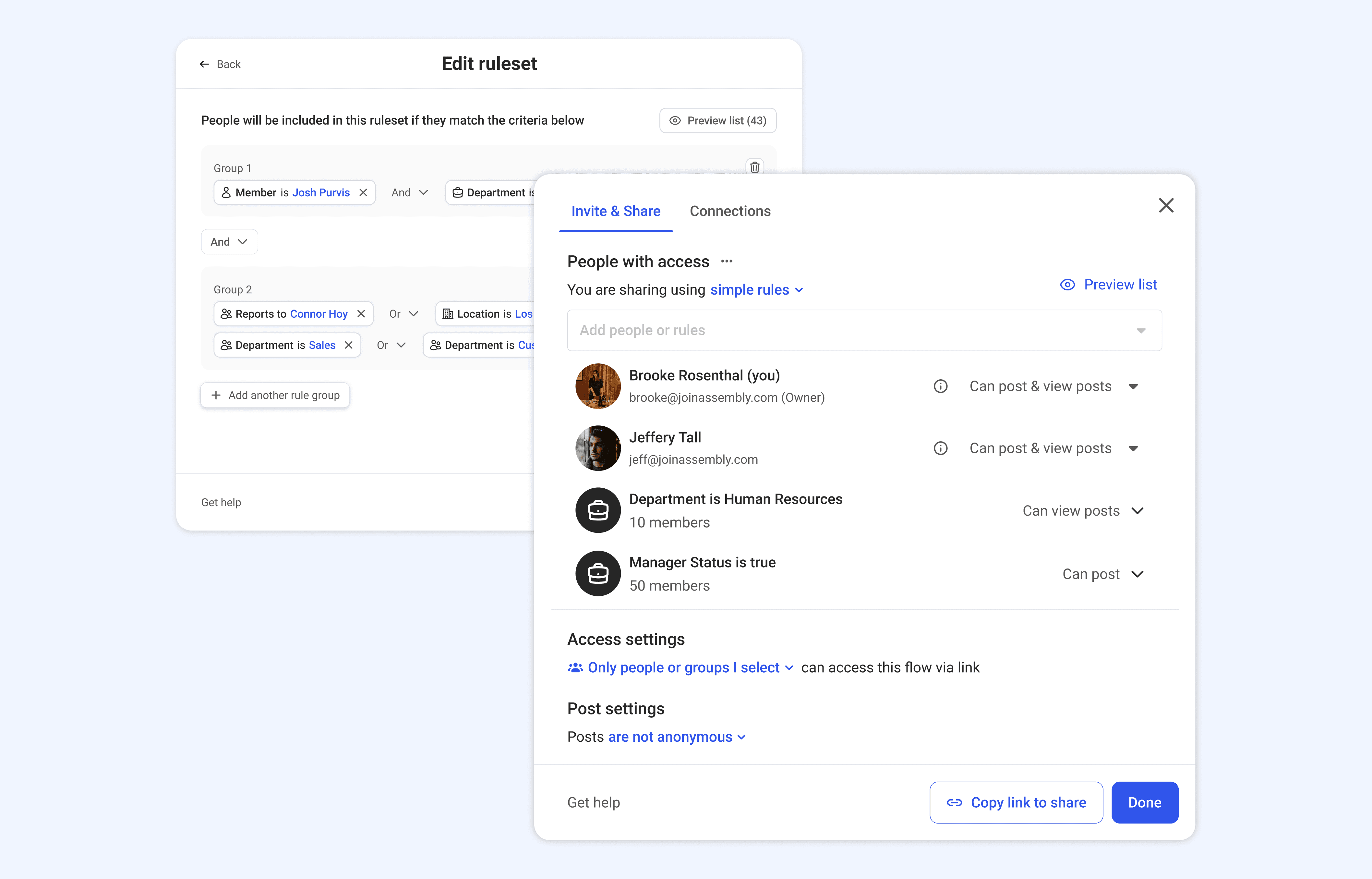
Building Workflows for HR & Workplace Comms @ Assembly
Empowering low-tech HR professionals to create & customize automated culture and comms initiatives.
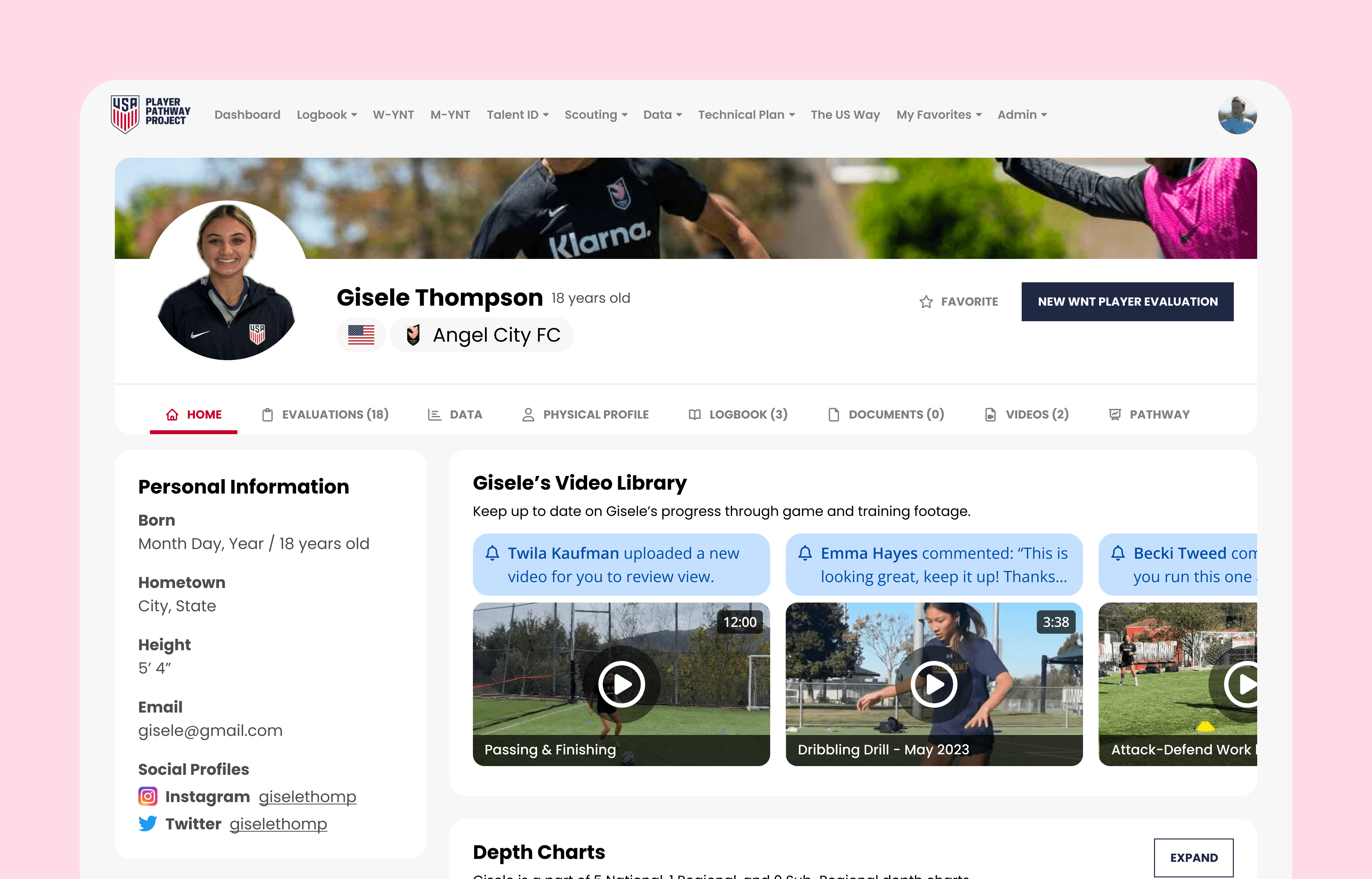
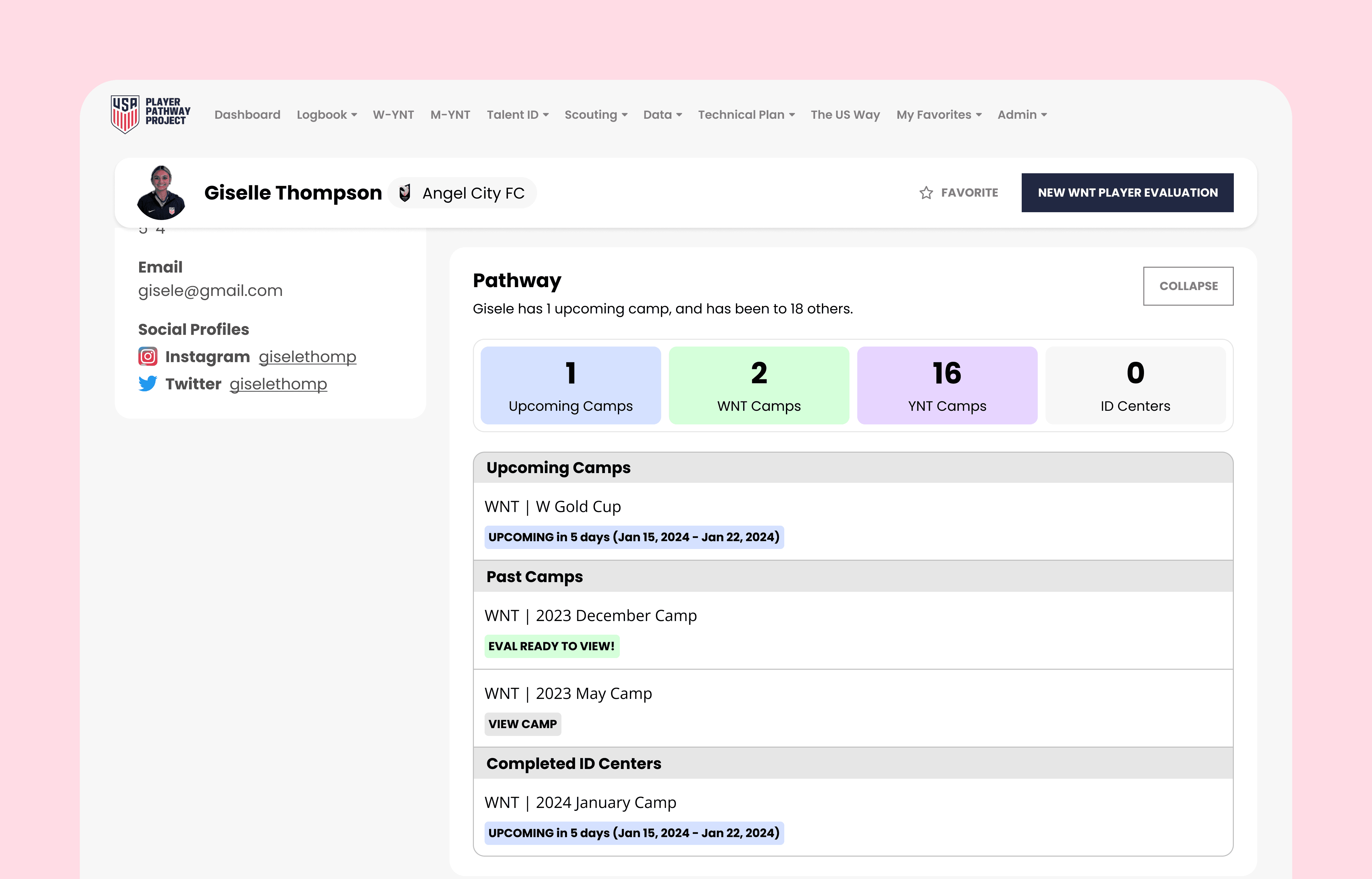
Player Profile Redesign @ US Soccer
Give coaches and scouts a better understanding of each of the 1,000s of players in the US Soccer system are, and how they are performing at-a-glance.
Internal Event Planning @ Meta
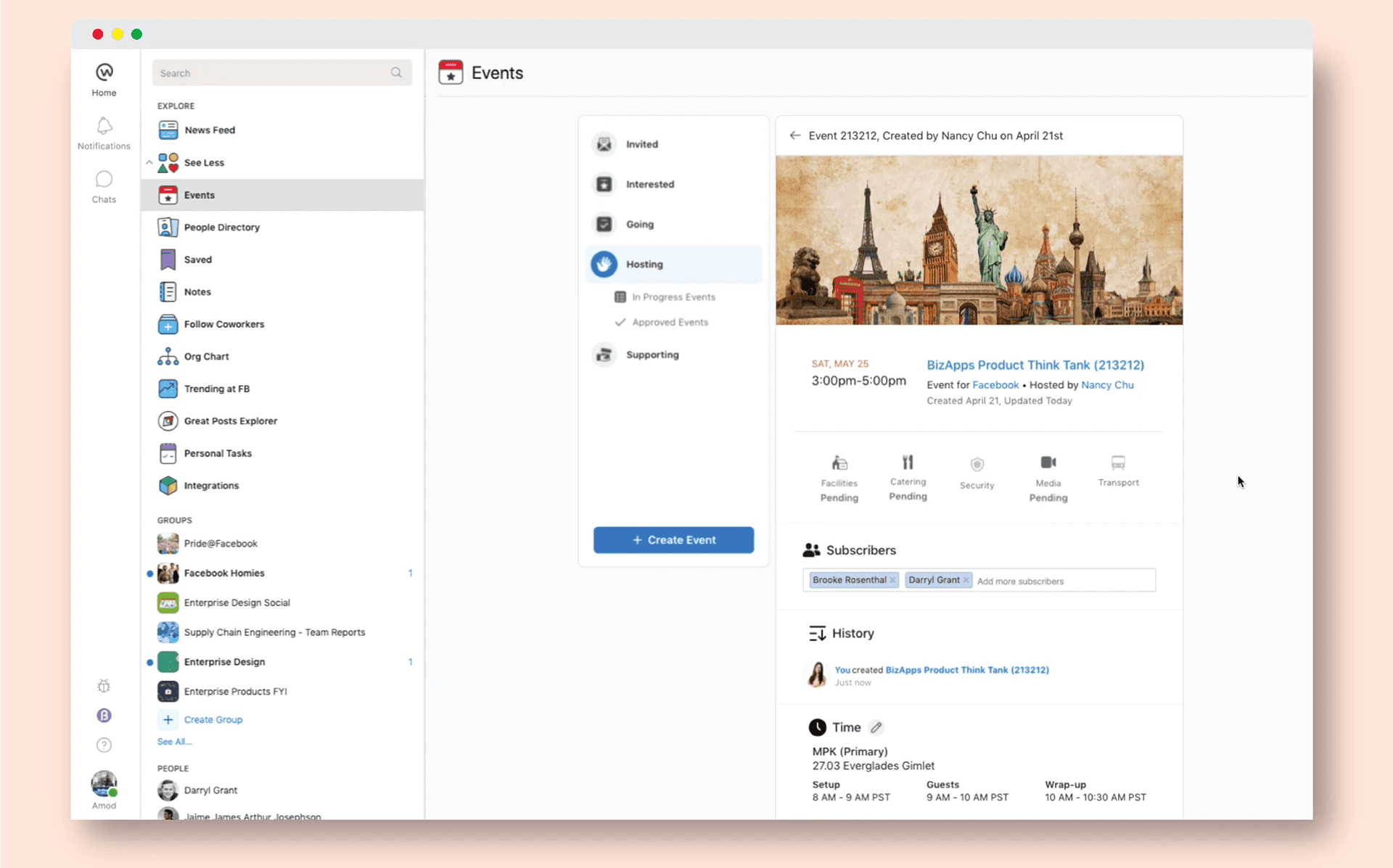
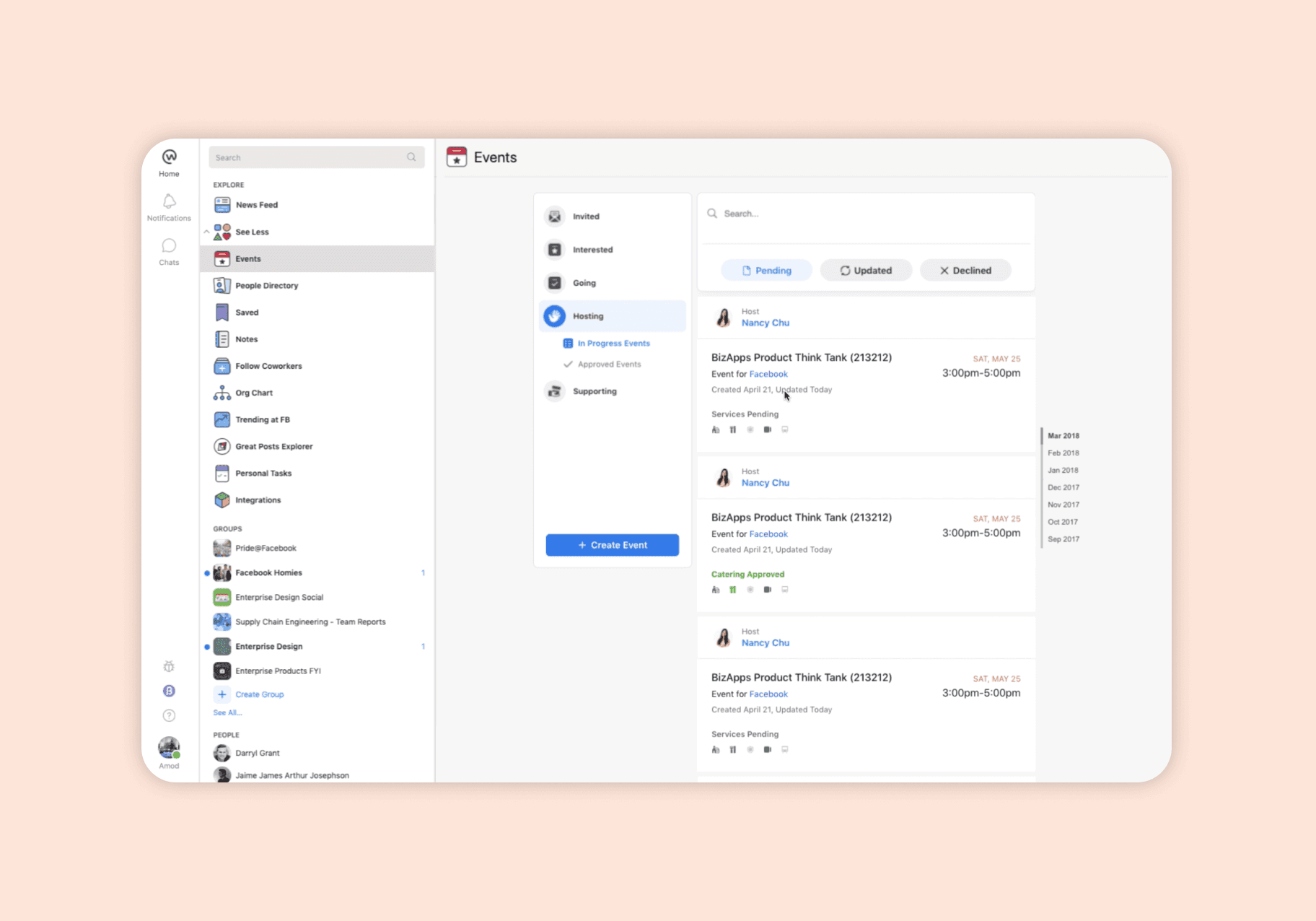
Help Meta employees advertise and plan workplace events. Request and provide locations, catering, transportation, and security.
Bringing Delight to Student Learning: A Canvas Drag & Drop Question Type
What happens when a PDF workaround meets a major client requirement, a middle school engagement problem, and a designer who wanted to feel the interaction before shipping it? You build something from scratch — in code.
COMPANY
Subject.AI
ROLE
Lead Product Designer
SCOPE
Interaction Design · Student Experience · Claude Code
TIMELINE
2024
[ Hero — drag & drop interaction demo or video ]
Replace with screen recording or animated GIF
Three Problems. One Solution.
This project didn't start as a student delight initiative. It started as a workaround that had run its course. Subject had been using annotated PDFs for a wide range of question types — but PDFs are clunky to use, hard for students to engage with, and nearly impossible for AI graders to parse. Something had to change.
The student problem
Students hated using the PDFs. They were clunky, unsatisfying, and felt like a bolt-on. It worked. It didn't feel good.
The educator problem
Content educators needed creative power — labeling maps, T-charts, Venn diagrams, graphic organizers. PDFs couldn't give them that flexibility.
The ops problem
PDF annotations were nearly impossible for AI graders to parse. Moving to native canvas question types was essential to unblock the grading pipeline.
Then came the catalyst: a major new client — Time for Learning — required a significant percentage of interactive, autogradeable question types. Drag and drop was the highest-impact one we could build. And we were building it for middle schoolers, who benefit enormously from tactile, lower-cognitive-complexity interactions over walls of multiple choice. The case was clear. The timeline was tight.
Getting Requirements Right
Before designing anything, I worked closely with our internal education team to understand exactly what types of questions they'd need to replace those PDF annotations. The answer was broad: labeling maps, T-charts, Venn diagrams, graphic organizers. Educators needed images. They needed full creative power to build what they wanted — not a fixed set of templates.
That meant the component needed two layout modes: a row and column layout for standard sorting and categorization, and a matrix layout for more complex graphic organizers. Both needed to support images as draggable items, not just text. Versatility was a core design constraint from day one.
[ Requirements — layout modes diagram or educator examples ]
Why Claude Code, Not Figma
I made a deliberate choice early: I wasn't going to design this in Figma. The interactions were the product. A drag and drop that felt wrong — sluggish, weightless, unsatisfying — would undermine everything else. And I couldn't communicate that in a Figma file.
"I wanted to, from both ends — for the educator and the student — make it feel really good to use. High quality. And I couldn't communicate that in a Figma file."
By using Claude Code, I was able to prototype the interaction directly inside our internal tool — getting the fit and finish on the drag and drop interactions just right, in the actual environment students would use it. It was a little slower than I expected. But it was so satisfying. I could describe rich interactions in plain language that I simply didn't have the capability to achieve before — and the result fit right into the design system because it was already there.
[ Claude Code prototyping process ]
[ In-context prototype — internal tool ]
The Craft: Chunky, Tactile, Delightful
The design goal was simple to say, hard to execute: make it feel really fun, chunky, tactile. Every decision — the weight of items as you pick them up, the snap as they land, the visual feedback on correct and incorrect placements — was designed to keep a middle schooler engaged and to make learning feel like play.
The detail I'm most proud of: the sound effects. A really satisfying click and bounce and tactility that makes you feel like you're really in it. That's not decoration — that's the whole goal. Subject's mission is to keep students engaged. Sound is part of that. These are things I could describe in plain language to Claude Code that I simply couldn't prototype before.
[ X% ]
increase in question completion rate vs. PDF
[ X% ]
of Time for Learning interactive requirement met
[ X ]
question types supported across layouts
[ Row/column layout ]
[ Matrix layout ]
[ Image-based drag items ]
This Project Changed How I Think About My Job
I can think of myself as more of a builder now. It made me think about process — how do you codify these rules so you're not throwing junk code over to engineers, but can eventually become a true builder when it really matters? Communicating visually is the whole goal of a designer. Claude Code gives me so much power to do that with so much more specificity. There are still limitations. But that'll come with time — and with new tools.