At Subject, courses are currency. They determine student outcomes and district funding, but Subject's lead teachers couldn't customize them to fit state requirements, their teaching style, or their special-ed students. They were stuck in workaround mode. This project gave them autonomy.
Subject.AI
B2B Tools • 0->1
4 months
About Subject
Subject provides curriculum and learning platforms for grades 6–12, serving credit recovery, core instruction, and elective expansion for school districts across virtual and in-person settings. In many cases, Subject becomes the engine for a virtual school.
The Problem: Teachers Needed More Courses, Delivered at Speed.
Courses are currency in the digital curriculum business. Teachers want to know if a provider can service all of their student's unique needs.
Existing Process
Subject's course building software was stuck in 'workaround' mode. Tech debt slowed down course development, preventing entry into new states, new districts, and adjustments for special education use cases.
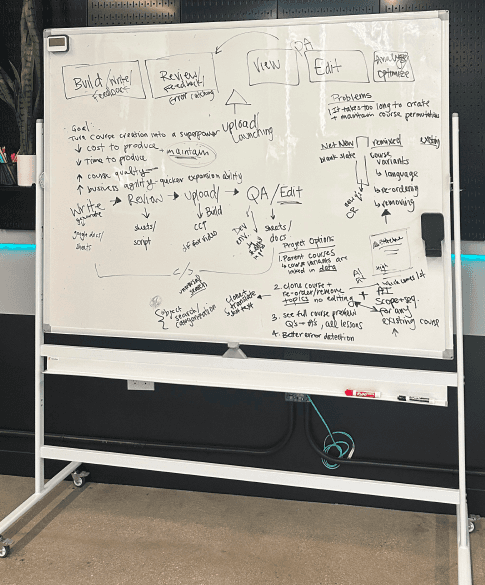
A whiteboard from internal scoping. Once a course finally reached a teacher, their only recourse was a 'locking' workaround.
Stakeholder Needs
Curriculum Developer (Internal Employee)
I need to be able to better envision the courses I write in the platform, so that I can create better courses, faster.
Lead Teacher (Paying Partner)
I need to receive courses that better align to my state and district, and have the autonomy to customize courses as I see fit.
Business
Business is losing deals due to not having courses for certain states, creating budget risks for existing partners, and losing feature parity on course customization.
The Workaround
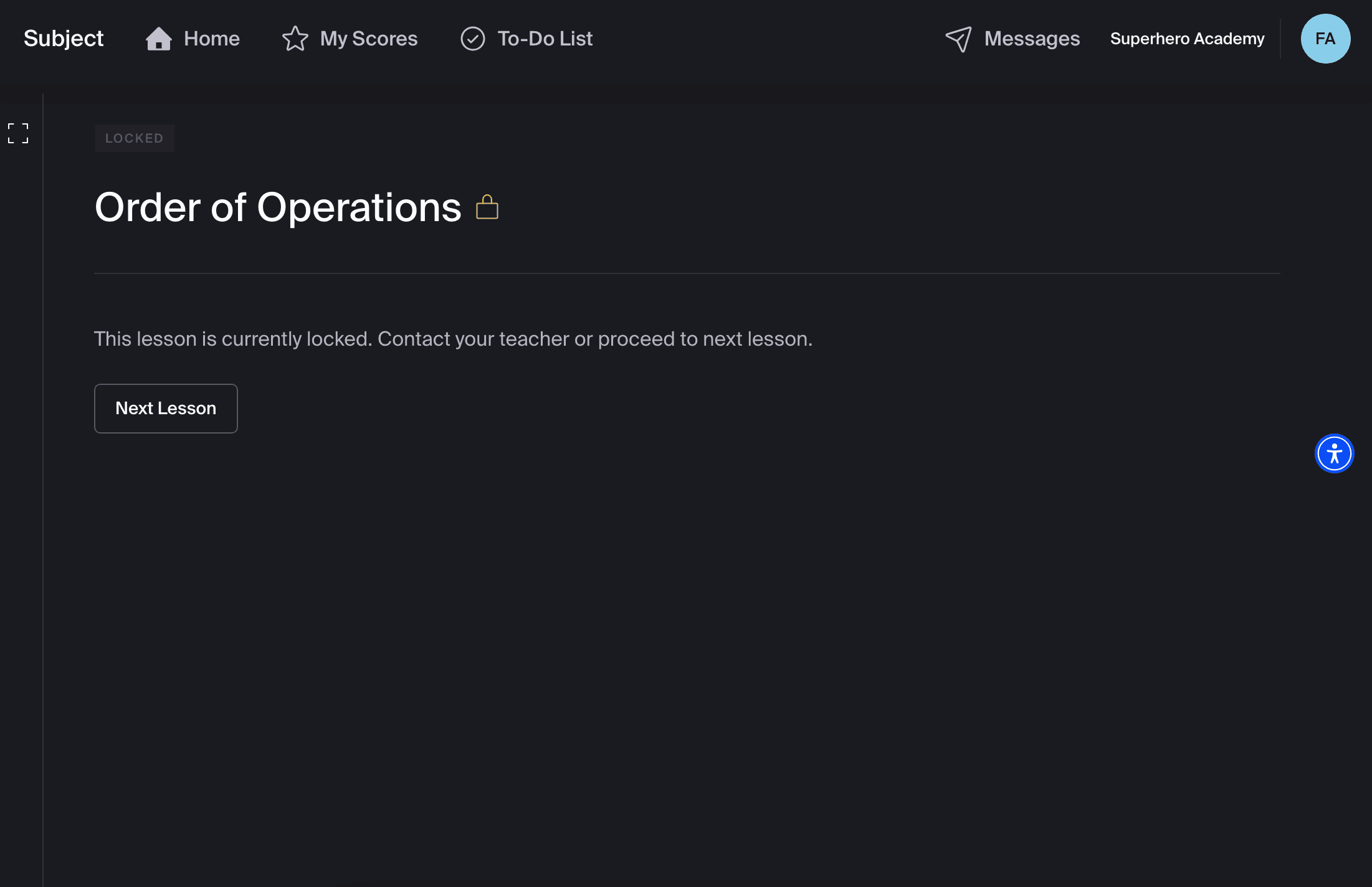
If a student wasn't getting taught a topic (for example, let's say they already mastered Order of Operations in Algebra), instead of removing that content from their view or progress calculations, they just saw this:
Identifying the Most Impactful Starting Project
I worked extensively with the Chief Product Officer, Education Lead, an Engineer, and the Customer Success to find the appropriate scoping and sequencing for this project.
Option 1
Release a feature that allows material to be removed by our partner teachers first without tackling root course building inefficiencies.
Option 2
Extend release timeline, but give partner teachers the ability to remove, combine, remix, rename, edit any element of a course.
Option 3
Start by building an internal portal to speed up and democratizing course building. Build in state-level controls for compliance.
This project was like a game of Jenga, poking at blocks to see what would come out easily, without harming the structure of the roadmap.
Option 3: Internal to External Sequencing
Options 1 and 2 would have shipped faster but left curriculum developers stuck in Google Sheets, unable to effectively service customers and build new courses. Every future custom course would still cost weeks. Option 3 was slower, but unblocked everything downstream.
Internal Courses Portal
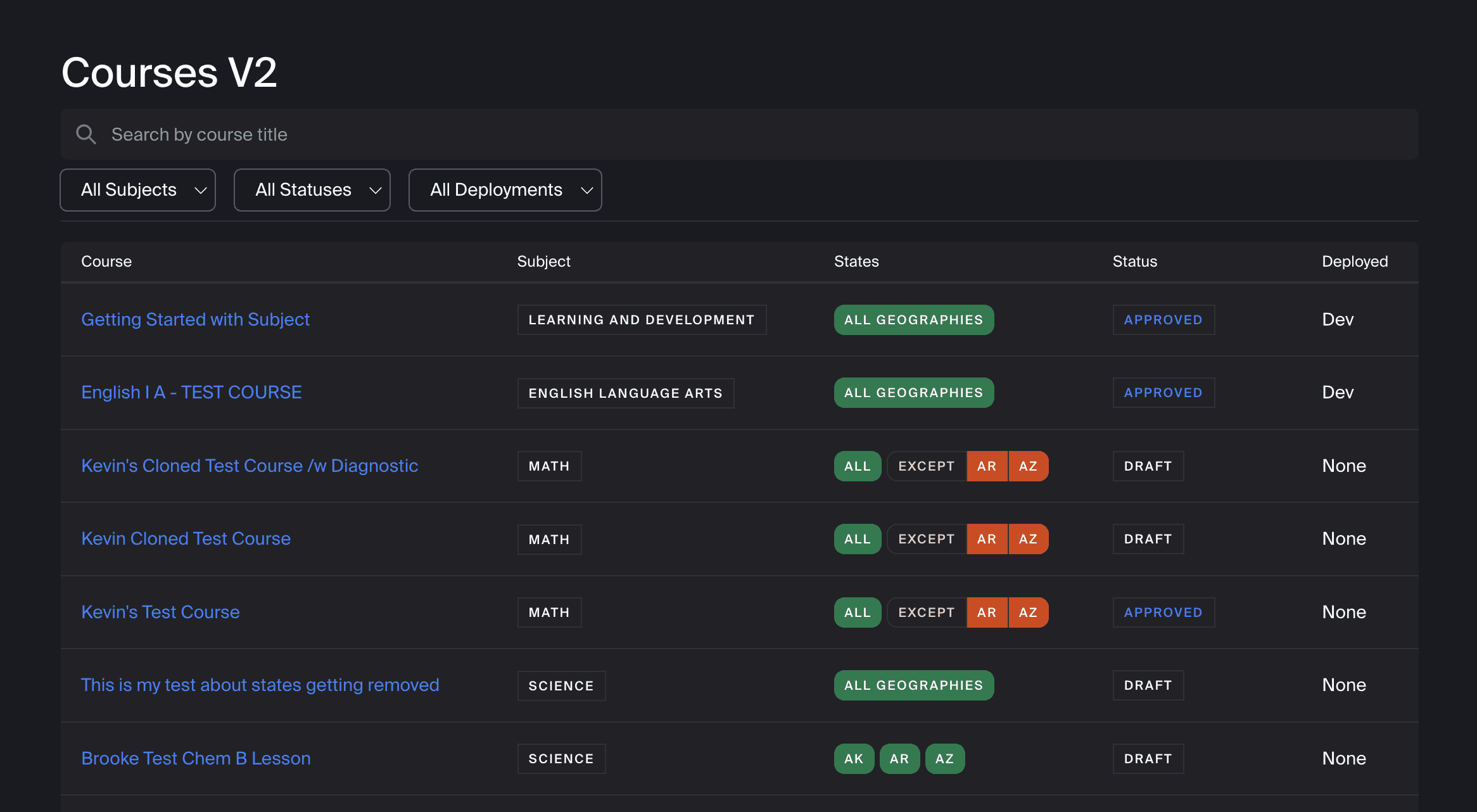
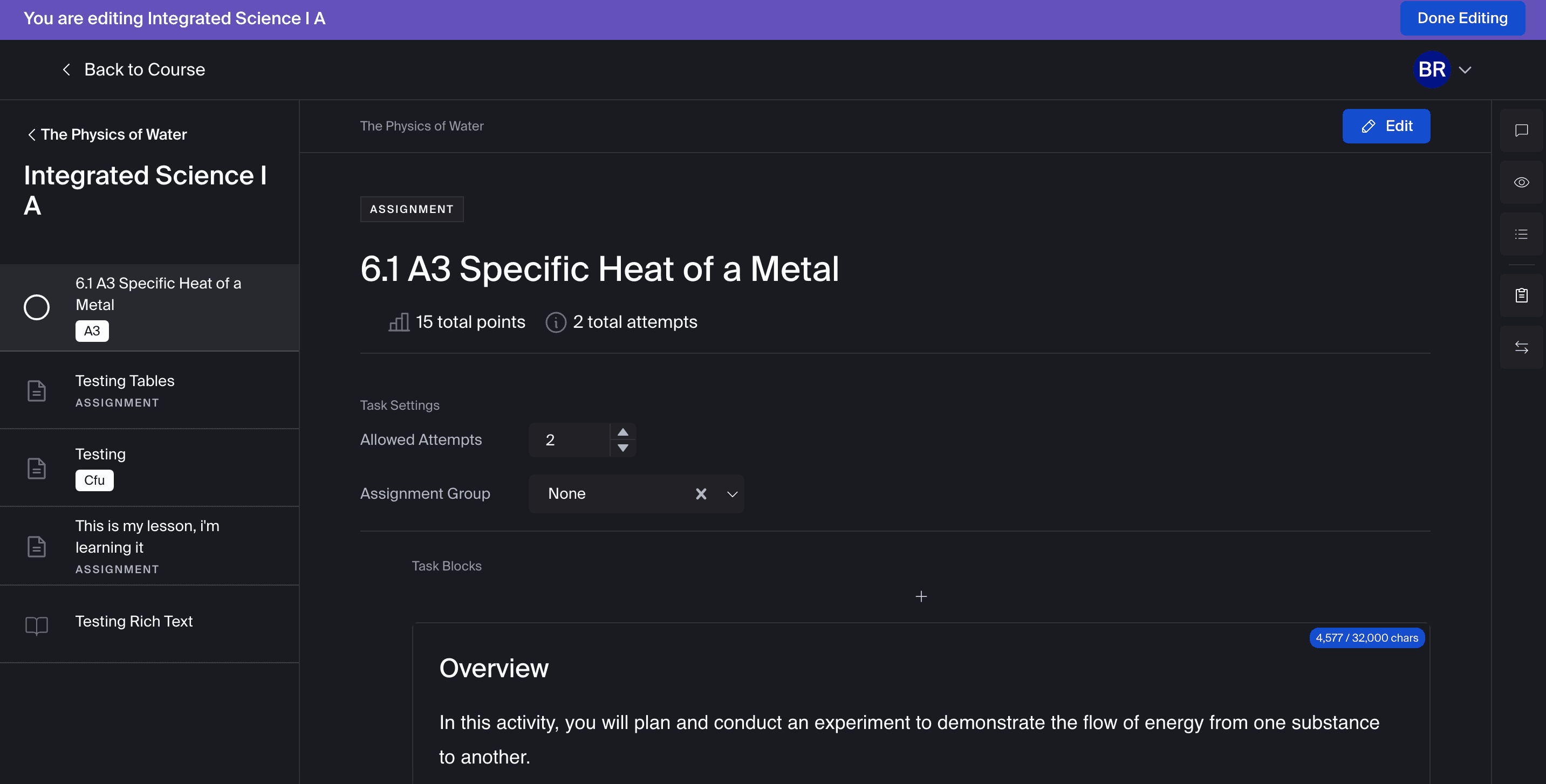
Deep collaboration with Head of Curriculum and Engineers. I believe building internal tools with thoughtful UX is paramount. I provided mocks for guidance, and while we didn't get to pixel perfection, we got state-access controls and in-app course writing & previewing. The Curriculum Development team has released over 50 courses in 4 months with this new model.
Partner-Facing Course Customization
Once internal course building was unblocked, I turned my attention to building the best customization experience for our teachers.
Goal 1
Optimize for most common actions. Our teachers and administrators are not always tech-savvy.
Goal 2
Give teachers the right amount of information to make a decision, not more and not less.
Goal 3
Make roles and permission access simple to set, view, and update.
User-Research: Figma Make Prototypes to Test Building Experience
Since our teachers are not always the most tech-savvy, I wanted to really test the building experience. It needed to be transparent, and I specifically wanted to test the amount of information provided on the page, how we show removed items, and how intuitive bulk editing was. I used Figma Make to create three prototypes, and asked teachers to perform a set of key actions in a randomized order.
'Lego Blocks' Style
Tactile, very different from the competition. Use progressive disclosure on deeper information. Use color and icons to indicate lesson types.
Perceived to be better for young teachers by older teachers. Icons and colors were appreciated to distinguish lesson types.
Minimalist
No icons, show only the lesson titles and reveal everything else through progressive disclosure.
Teachers liked this version, but had trouble completing real tasks around removing standards and understanding course content.
High Information Density
Bring in checkboxes that are familar from competitors, show all possibly relevant information to see what sticks.
Although checkmarks were familiar, they were described as unnecessary and too noisy. The increased information density was seen as a positive, especially time to complete.
Takeaways
The final direction took the information density of Prototype 3 with the lesson-type clarity of Prototype 1, and dropped the checkboxes everyone called noisy.
Standards are Key
These are concepts and skills that schools are required to teach. They're essential to display for compliance.
Bulk Options Streamline Work
Giant checkboxes were too much, but being able to work in bulk is an expectation.
Estimated Time To Complete is a Huge Value Add
Courses generally must provide 55-60 hours of work per-semester. Teachers need to know how their edits affect that.
The Shipped Feature
Added better bulk removal after experimenting with the prototypes
Simple access modal, mirroring familiar patterns
Sticky search and filtering headers to make sure teachers don't lose their place.
Impact
Our partner base is LOUD. However, I heard little to no complaints upon release. Within 3 weeks of beta launch, 53 educators across 73 schools created 351 custom courses, with weekly creation volume still growing. Students perform 19% better on average when a course is customized to their needs. For partner teachers, this meant they could finally adapt courses without filing a ticket. For Subject, it unblocked new state expansion and removed a top-three churn risk.
351 courses
Created across 3 weeks of beta launch by 53 educators across 73 schools
19% increase
In average student performance on courses customized to their needs
0 tickets
Created to complain about UX or Product Functionality issues
What's Next? Ability to add and remix content between courses, as dictated by partner demand.