Creating engaging, tactile, and pedagogically sound new question types to help middle schoolers learn.
Subject.AI
Student Experience • Claude Code
3 weeks
🔥 Hot Tip: Turn your sound on for a satisfying 'boop'!
Bringing More Interactivity to Subject
Subject had been using annotated PDFs for interactive question types, but PDFs were hard for students to use and impossible for AI grading systems to parse. When a major new partner required a meaningful amount of interactive, autogradeable question types, drag and drop became the clear highest-impact solution to design. I worked heavily with our education team to ensure that the experience was satisfying, tactile, and hands-on for specifically our middle school students.
The Goal: Making Learning Feel Good
Students disengaged with our PDF interactions because they were stale and clunky. I state in Subject's design principles that our product should feel as good as the consumer apps they use.
Design an experience that feels chunky, tactile, and snappy. Something that a 12-year-old will enjoy interacting with.
On the educator side, I worked closely with our internal education team to understand exactly what question types they needed to replace the PDF annotations. The answer was broad: labeling maps, T-charts, Venn diagrams, graphic organizers. They needed images as draggable items, not just text. And they needed full creative control with guidance, not just a set of templates. That drove two core layout modes: a V1 containing rows, columns, and matrices, and a V2 Canvas with full creative control for complex graphic organizers.
V1: Standard Drag and Drop
The Process: Initial Exploration in Figma, Building in Claude Code
While I did some initial conceptualization in Figma (pictured below), I couldn't actually feel whether the drag was right without building it.
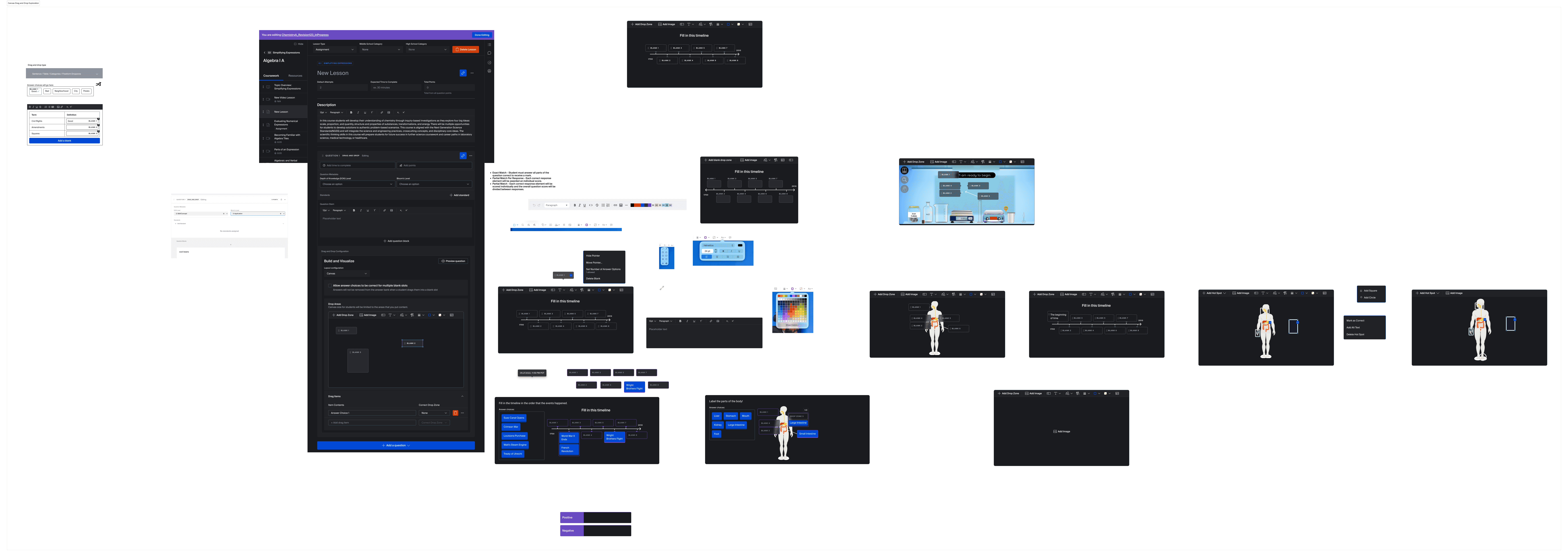
By prototyping directly in Claude Code, inside our actual app, I iterated on the look and feel of the interactions in the real environment students would use. I was able to get higher craft interactions: the snap, the weight, the bounce, in half of the time, with better communication to my engineers.
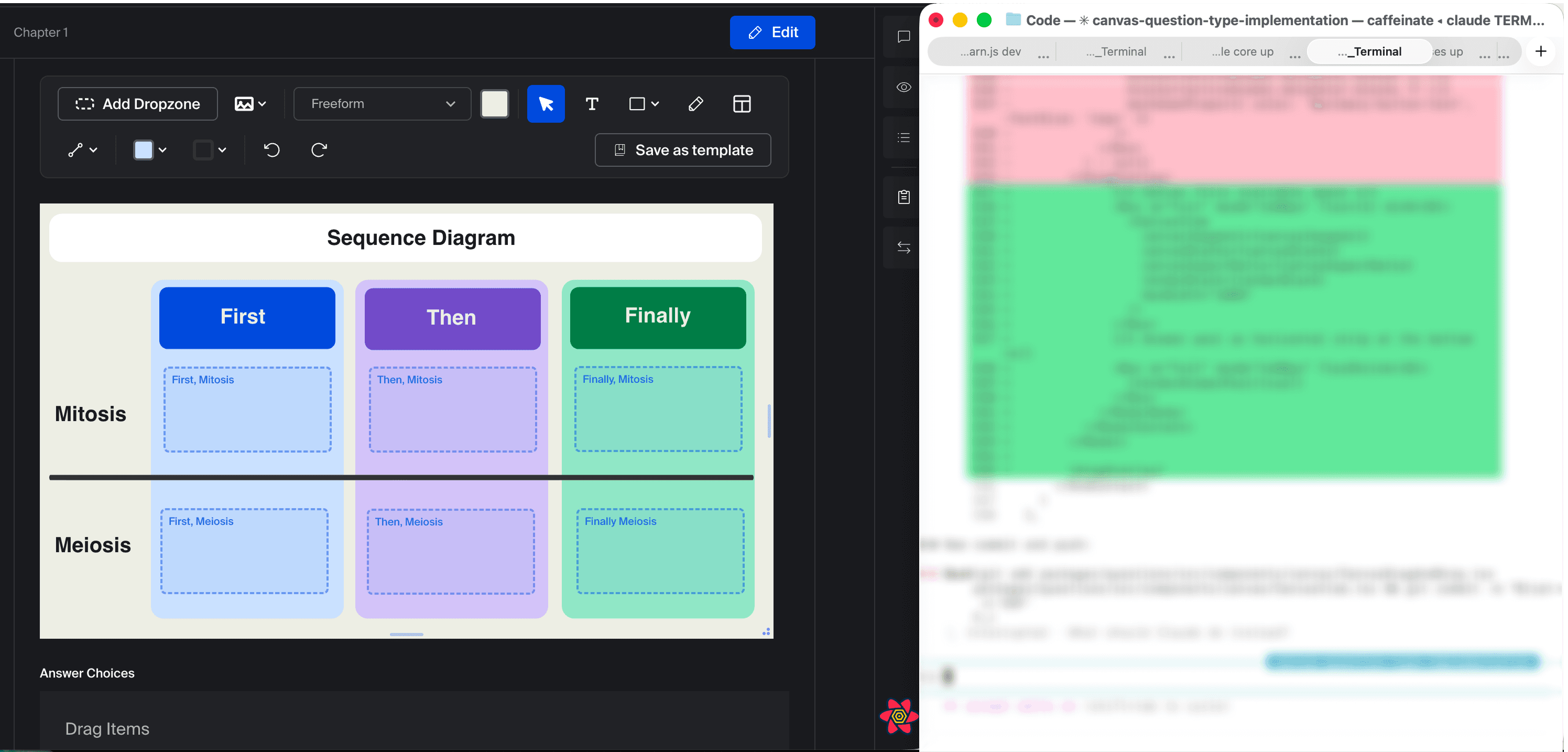
The result fit right into the design system, and my engineers were able to implement significantly faster with the code in their fingertips from my local environment. The sound effects, the animations, and the educator building experience all benefit from this code-level detail.
The Result: Chunky, Tactile, Autogradeable
This is a recording of my local environment, where I was able to tune canvas resizing, the creation experience, and the student experience. It's not perfect, but it got the product to a significantly higher level of craft an execution than I could achieve in Figma alone.
Outcomes
Performance, time on platform, and business gains all as a result of newer, more engaging question types.
+30%
Performance improvement on End-of-Topic quizzes from students who struggled the most on drag and drop questions
+5 mins
Time on assignments that contain more complex drag and drop interactions
20K~ New Students
As a result of key partnership that required an increased percentage of autogradable interactive question types.